Project
←Back to projects
may 3, 2026
HikariPlay
HikariPlay (光プレイ)
HikariPlay is a deliberately minimal private cinema application that converts a single public Google Drive folder into a curated media catalogue. Supply one folder ID, and HikariPlay indexes every video file in the tree, resolves poster art from AniList or OMDb, proxies video bytes through the SvelteKit server for Range-request-compatible playback, and tracks resume positions in localStorage — entirely without a user database, authentication layer, or subscription cost. Designed for households of one to four people who own their media and prefer a considered interface over Google Drive's thumbnail grid.
Repository Structure
HikariPlay is a Turborepo Bun monorepo with three workspace packages:
hikariplay/
├── apps/web/               # SvelteKit application (server + client)
│   └── src/
│       ├── routes/
│       │   ├── +layout.svelte         # Global shell, nav
│       │   ├── +page.svelte           # Landing page + GSAP animations
│       │   ├── gallery/+page.svelte   # Catalogue, Fuse.js search, filters
│       │   ├── watch/[id]/            # Player, VLC handoff, continue watching
│       │   └── api/
│       │       ├── videos/            # Drive listing with 10-min in-memory cache
│       │       ├── poster/            # AniList / OMDb proxy, 24h in-memory cache
│       │       └── stream/[id]/       # Byte-proxying stream resolver
│       └── lib/
│           ├── server/                # Drive walker, poster resolver, stream resolver, poster cache
│           ├── idb.ts                 # IndexedDB schema (posters + videoList stores, via idb library)
│           ├── continueWatching.ts    # localStorage progress tracker (hp:cw key)
│           ├── continueWatchingStore.svelte.ts  # Svelte 5 $state wrapper
│           ├── poster.ts              # Client-side poster fetch + IDB cache (30-day TTL)
│           ├── parse.ts               # Filename parser (30+ scene tags, SxxExx, year)
│           ├── gsap.ts                # GSAP 3 + ScrollTrigger animation helpers
│           └── types.ts               # Video, ContinueWatchingEntry interfaces
├── packages/env/           # Zod-validated env schema via @t3-oss/env-core
└── packages/config/        # Shared tsconfig base
hikariplay/
├── apps/web/ # SvelteKit application (server + client)
│ └── src/
│ ├── routes/
│ │ ├── +layout.svelte # Global shell, nav
│ │ ├── +page.svelte # Landing page + GSAP animations
│ │ ├── gallery/+page.svelte # Catalogue, Fuse.js search, filters
│ │ ├── watch/[id]/ # Player, VLC handoff, continue watching
│ │ └── api/
│ │ ├── videos/ # Drive listing with 10-min in-memory cache
│ │ ├── poster/ # AniList / OMDb proxy, 24h in-memory cache
│ │ └── stream/[id]/ # Byte-proxying stream resolver
│ └── lib/
│ ├── server/ # Drive walker, poster resolver, stream resolver, poster cache
│ ├── idb.ts # IndexedDB schema (posters + videoList stores, via idb library)
│ ├── continueWatching.ts # localStorage progress tracker (hp:cw key)
│ ├── continueWatchingStore.svelte.ts # Svelte 5 $state wrapper
│ ├── poster.ts # Client-side poster fetch + IDB cache (30-day TTL)
│ ├── parse.ts # Filename parser (30+ scene tags, SxxExx, year)
│ ├── gsap.ts # GSAP 3 + ScrollTrigger animation helpers
│ └── types.ts # Video, ContinueWatchingEntry interfaces
├── packages/env/ # Zod-validated env schema via @t3-oss/env-core
└── packages/config/ # Shared tsconfig baseEnvironment variables (DRIVE_API_KEY, DRIVE_FOLDER_ID, OMDB_API_KEY) are validated at startup via @t3-oss/env-core with Zod in the packages/env workspace, imported as @hikariplay/env/server by any route handler that needs secrets.
Architecture
Browser
├─ SvelteKit (SSR + CSR, Svelte 5 runes)
│   ├─ localStorage (hp:cw)    ← continue-watching progress per video ID
│   └─ IndexedDB (idb library) ← poster blobs (30-day TTL) + video list (offline cache)
│
└─ HTTPS → SvelteKit Node Server (Cloud Run)
    ├─ /api/videos     → Drive API recursive walk → in-memory Map (10-min TTL)
    ├─ /api/poster     → AniList GraphQL / OMDb REST → in-memory Map (24h TTL)
    └─ /api/stream/[id] → resolveStreamUrl (API key alt=media → /uc fallback) → byte-proxy
Browser
├─ SvelteKit (SSR + CSR, Svelte 5 runes)
│ ├─ localStorage (hp:cw) ← continue-watching progress per video ID
│ └─ IndexedDB (idb library) ← poster blobs (30-day TTL) + video list (offline cache)
│
└─ HTTPS → SvelteKit Node Server (Cloud Run)
├─ /api/videos → Drive API recursive walk → in-memory Map (10-min TTL)
├─ /api/poster → AniList GraphQL / OMDb REST → in-memory Map (24h TTL)
└─ /api/stream/[id] → resolveStreamUrl (API key alt=media → /uc fallback) → byte-proxyThe server is stateless. The two in-memory Maps (video list and poster results) reset on every container restart. Client persistence is split across two browser APIs: localStorage for playback progress, IndexedDB for poster blobs and the video list offline fallback.
Drive Indexing
The indexer lives in $lib/server/drive.ts. listVideosRecursive() walks the folder tree using paginated Drive API calls (pageSize=1000, following nextPageToken). Sub-folder walks are limited to 6 concurrent requests via a hand-rolled pLimit(6) concurrency limiter — no external dependency.
Every video/* MIME file is normalised into a Video object:
export interface Video {
  id: string
  name: string // raw filename
  parsedTitle: string // after scene-tag stripping
  type: 'anime' | 'movie'
  season?: number
  episode?: number
  year?: number
  path: string // slash-joined folder path within the Drive root
  streamUrl: string // /api/stream/<id>  — routed through server byte-proxy
  thumbnailUrl?: string // Drive thumbnailLink or fallback thumbnail URL
}
export interface Video {
id: string
name: string // raw filename
parsedTitle: string // after scene-tag stripping
type: 'anime' | 'movie'
season?: number
episode?: number
year?: number
path: string // slash-joined folder path within the Drive root
streamUrl: string // /api/stream/<id> — routed through server byte-proxy
thumbnailUrl?: string // Drive thumbnailLink or fallback thumbnail URL
}Content type is exactly two values: 'anime' or 'movie'. Type controls which poster API is tried first. The catalogue is sorted by path then name — alphabetical within each folder, folders in path order.
Results are cached in a Map<folderId, { videos, fetchedAt }> with a 10-minute TTL. Passing ?refresh=1 to /api/videos bypasses the cache. The response includes cached: boolean and fetchedAt: number; the gallery shows a stale-data banner when serving a cached response.
Filename Parser
parse.ts handles real-world scene release filenames. A single regex built from 30+ known scene tags (WEB-DL, WEBRip, DDP5.1, AAC5.1, x265, BluRay, HEVC, 2160p, 1080p, Dual-Audio, IMAX, and more) with word-boundary anchors strips encoding metadata before title extraction. The parser then extracts:
- Year:
(YEAR)parenthesised form first, then bare 4-digit year - Season/episode:
SxxExx/sxxexxpriority, thenNxNN, then bare episode number - Type: assigned by
detectType()based on series-like episode structure or title matching
Poster Resolution
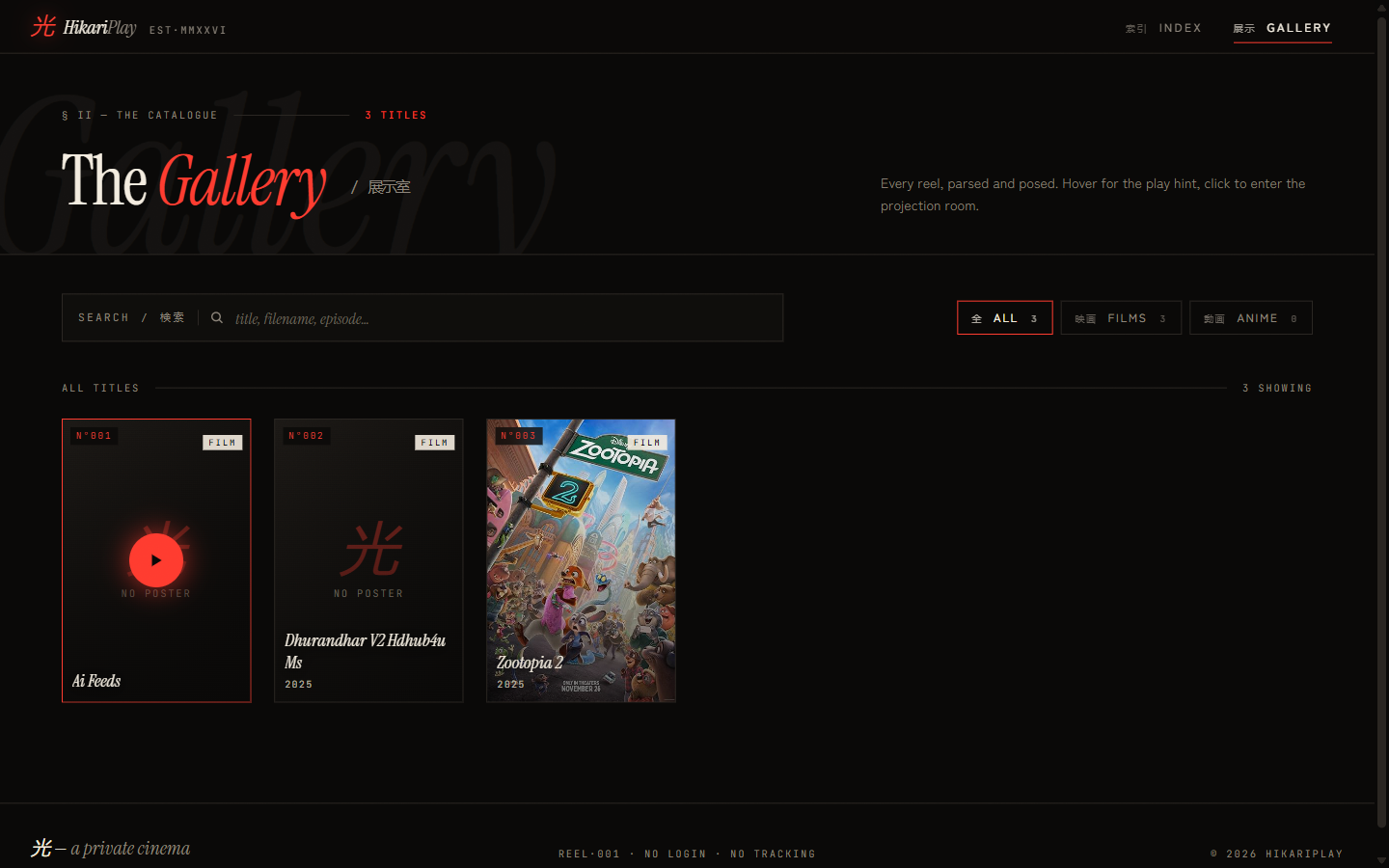
getPoster() in $lib/server/poster.ts runs the following priority chain:
- Server in-memory cache (
posterCache.ts) — keyed on${type}:${normalizedTitle}:${year}, 24-hour TTL for both hits (url != null) and misses (url == null). Caching misses prevents hammering APIs for titles with no poster. - AniList GraphQL — for
type === 'anime'. ReturnsextraLargecover URL, falling back tolarge. - OMDb REST — for
type === 'movie', or as fallback when AniList returns nothing. Uses title + optional year. HandlesPoster: 'N/A'explicitly. - Drive thumbnail — passed as the
thumbquery param by the client. { url: null, source: 'none' }— the kanji placeholder is rendered client-side.
/api/poster responds with cache-control: public, max-age=86400, stale-while-revalidate=604800.
The client-side poster layer ($lib/poster.ts) adds a second cache tier via the idb library, IndexedDB, with a 30-day TTL:
- Read IndexedDB — return immediately if fresh (under 30 days)
- Keep stale entry as network-error fallback
- Fetch
/api/poster - Write result to IndexedDB
- On error: stale IDB entry → Drive thumbnail →
{ url: null, source: 'none' }
The shelf stays dressed even when both external APIs are unreachable, as long as the IDB entries haven't expired.
Stream Proxy
$lib/server/streamResolver.ts resolves a Drive file ID using two strategies:
Strategy 1 — Drive API (alt=media with API key): Issues a HEAD probe to the authenticated endpoint. Higher quota, bypasses the antivirus interstitial for large files. Used when DRIVE_API_KEY is set and the probe returns 200 or 206.
Strategy 2 — Public /uc?export=download: Fetches Drive's public download page, parses the HTML for the short-lived uuid/at confirmation tokens, and constructs the final URL. Handles quota-exceeded and permission error pages explicitly.
The /api/stream/[id] handler then proxies every byte through the SvelteKit server:
- Validates
idagainst/^[A-Za-z0-9_-]{10,}$/before any outbound request - Forwards
Rangeheaders for seek / partial content (206) support - Passes through
content-type,content-length,content-range,accept-ranges,last-modified,etag - Responds to both
GETandHEAD
The browser cannot be redirected directly to the resolved URL. Drive's short-lived download tokens are bound to the server session/IP that fetched the confirmation HTML. Direct-to-browser redirect returns 403.
VLC Handoff
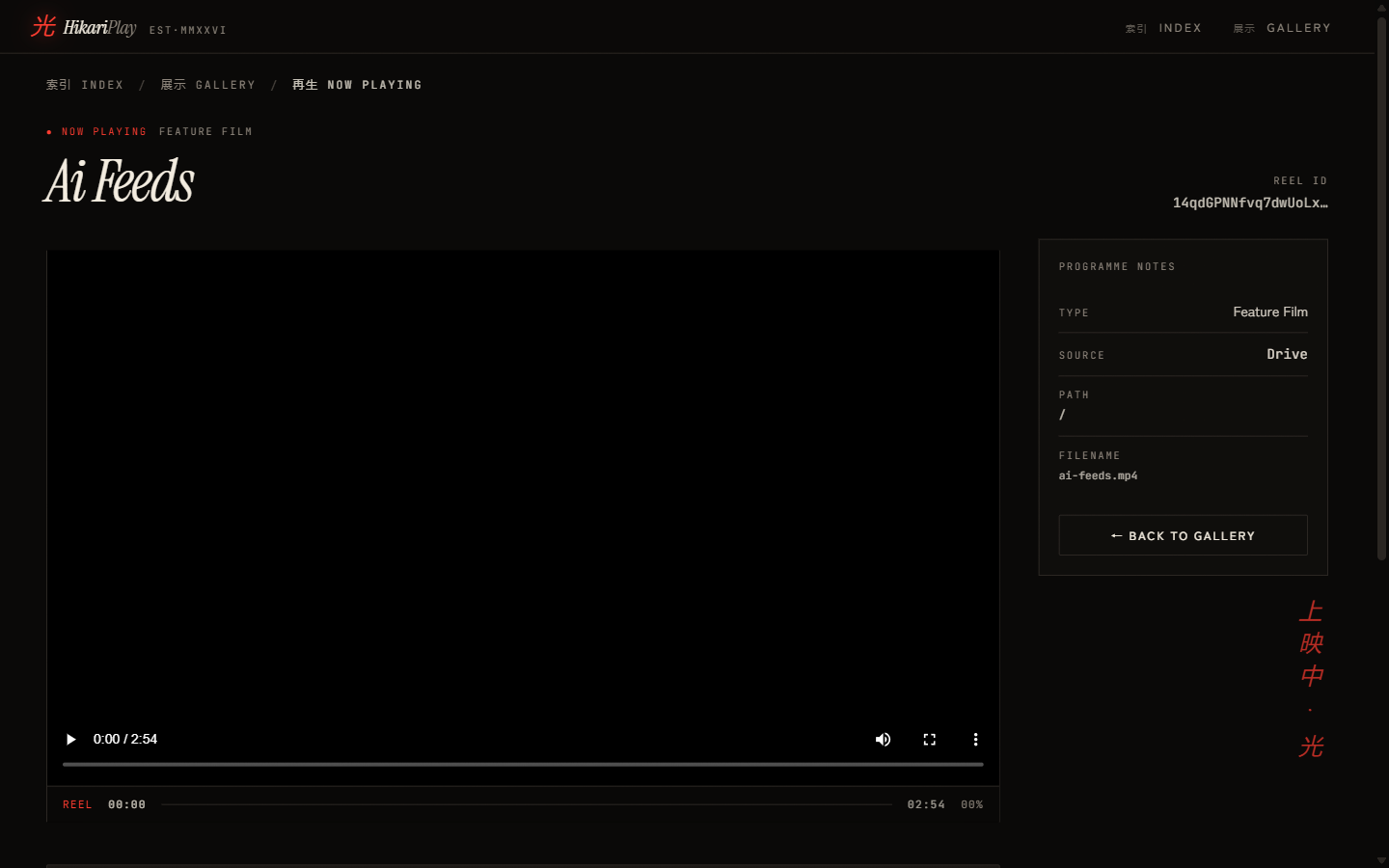
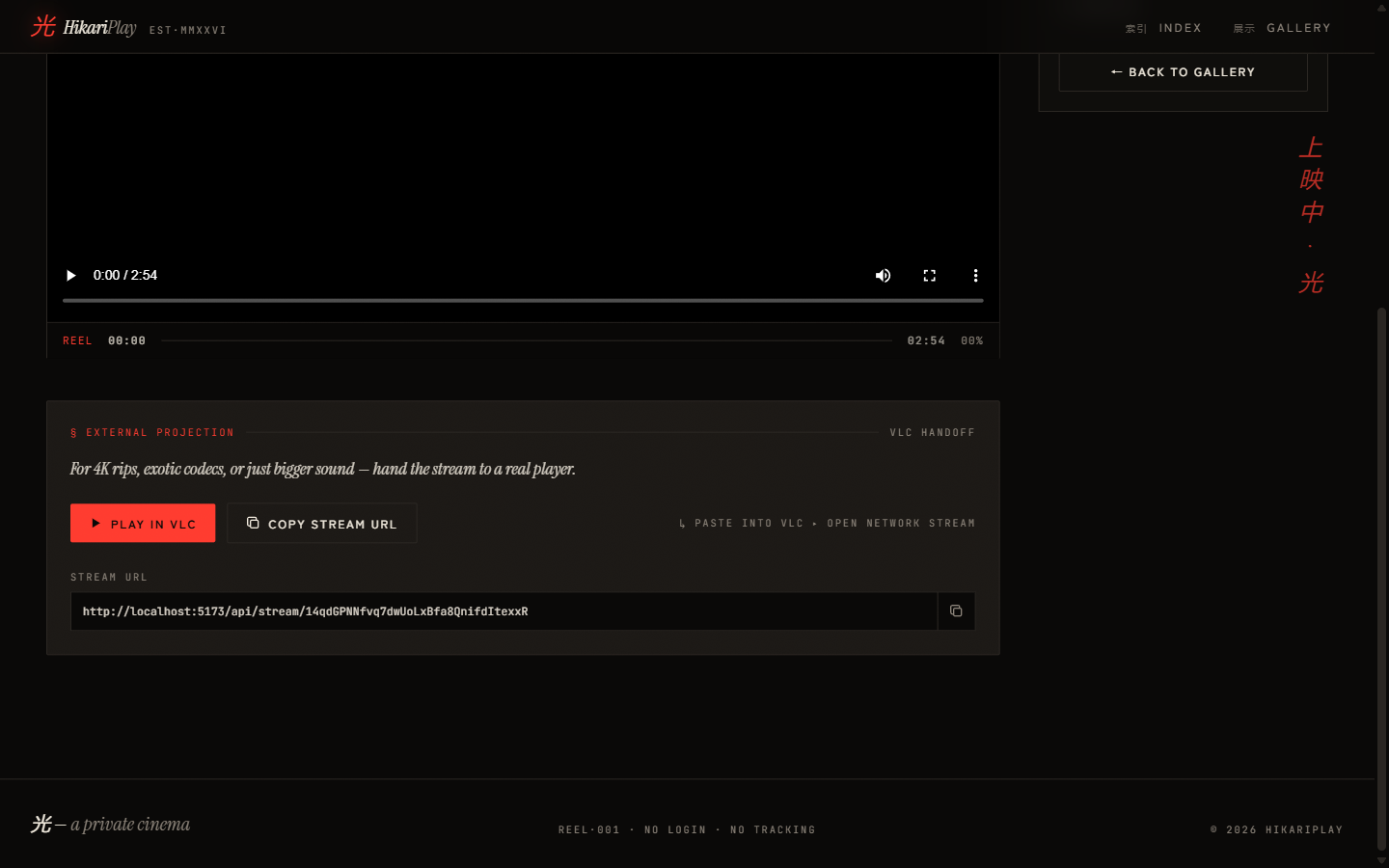
For files that cannot play in-browser (H.265, DTS audio, exotic containers), the "External Projection" panel provides:
- PLAY IN VLC: Constructs a
vlc://deep-link from the/api/stream/<id>proxy URL and triggers it as a protocol URL. - COPY STREAM URL: Copies the proxy URL to clipboard for pasting into any network-stream-capable player (VLC, mpv, PotPlayer).
VLC streams through the SvelteKit byte-proxy the same way the browser does — the stream URL is the server proxy endpoint, not a raw Drive URL.
Continue Watching
Progress tracking lives entirely in localStorage under the key hp:cw, serialised as a Record<videoId, ContinueWatchingEntry>:
export interface ContinueWatchingEntry {
  videoId: string
  progress: number // seconds elapsed
  duration: number // total seconds
  lastWatched: number // ms epoch
}
export interface ContinueWatchingEntry {
videoId: string
progress: number // seconds elapsed
duration: number // total seconds
lastWatched: number // ms epoch
}saveProgress() skips writes for positions under 1 second. isResumable() returns true when progress > 5s && progress / duration < 0.95 — past the opening, before the credits.
The gallery's "Continue Watching" row uses continueWatchingStore.svelte.ts — a Svelte 5 $state class that wraps the localStorage module reactively:
class CWStore {
  entries = $state<Record<string, ContinueWatchingEntry>>({})
  load() {
    this.entries = getAllEntries()
  }
  set(id, progress, duration) {
    saveProgress(id, progress, duration)
    this.entries = getAllEntries()
  }
  remove(id) {
    clearEntry(id)
    this.entries = getAllEntries()
  }
}
export const cwStore = new CWStore()
class CWStore {
entries = $state<Record<string, ContinueWatchingEntry>>({})
load() {
this.entries = getAllEntries()
}
set(id, progress, duration) {
saveProgress(id, progress, duration)
this.entries = getAllEntries()
}
remove(id) {
clearEntry(id)
this.entries = getAllEntries()
}
}
export const cwStore = new CWStore()The $state rune makes entries reactive with no Svelte stores, writables, or subscriptions.
Gallery and Search
The gallery page loads videos from /api/videos at SSR time. On mount it writes the fresh list to IndexedDB (videoList store, via writeVideoList()). If the Drive API call failed at SSR, the client reads the cached IDB entry and shows a stale-data banner with a retry button calling invalidateAll().
Client-side search is Fuse.js over ['name', 'parsedTitle'] with threshold: 0.35 and ignoreLocation: true. Type filter tabs (All / Films / Anime) derive their counts from the full unfiltered list via Svelte 5 $derived. Everything reacts without manual event wiring.
Landing Page
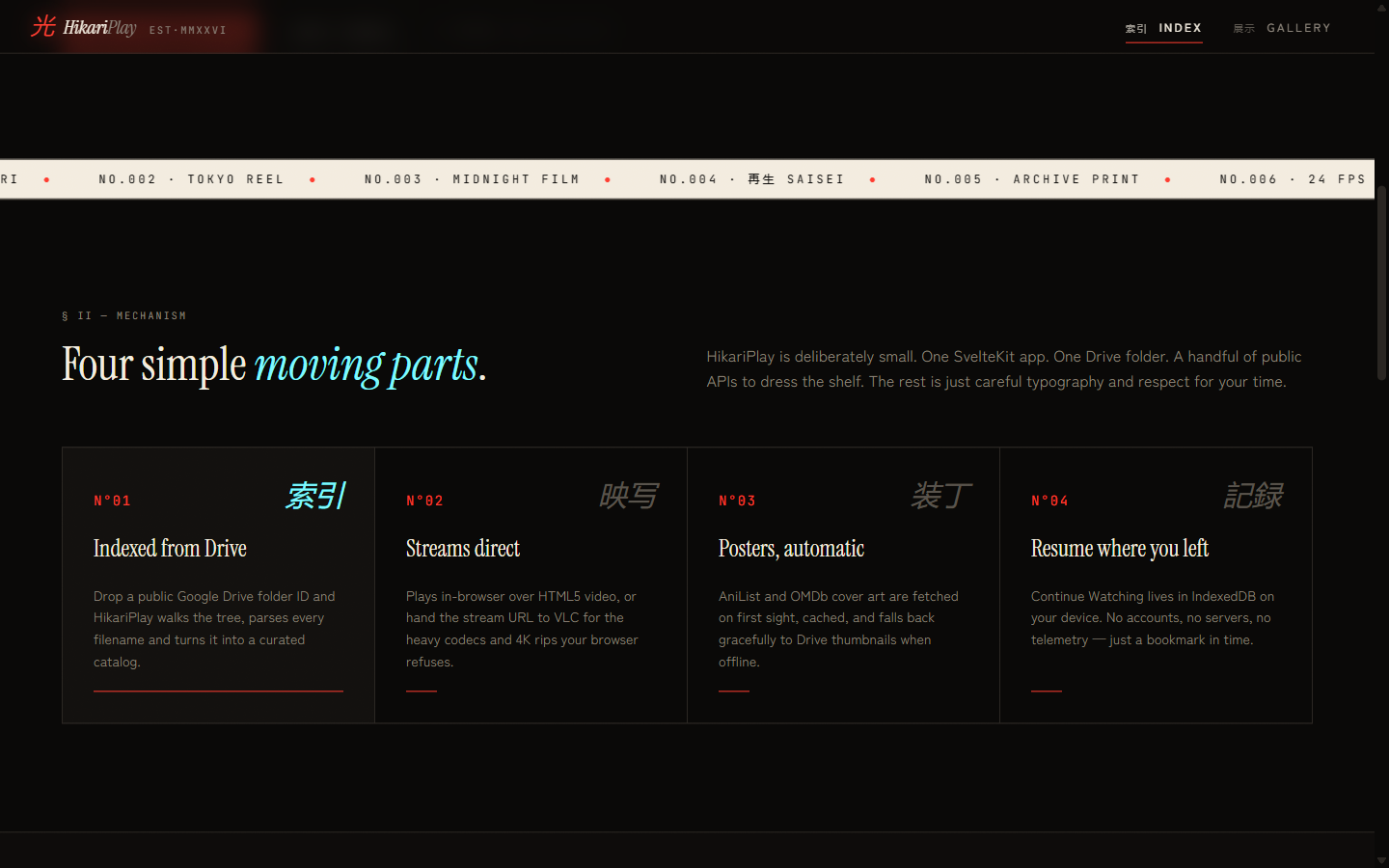
The landing page runs GSAP 3 with ScrollTrigger for all entrance and scroll animations, defined as reusable helpers in $lib/gsap.ts:
| Helper | Effect |
|---|---|
staggerCards(trigger, selector) | Feature cards stagger in with power3.out, 120ms stagger |
scrubRevealWords(el) | Manifesto words scrub opacity in sync with scroll position |
scrollScale(el, opts) | VLC frame scales from 0.9× to 1× on enter-viewport |
parallax(el, factor) | Y-axis parallax offset at 0.15 factor on the hero device element |
All contexts are created inside onMount and reverted in onDestroy via ctx.revert().
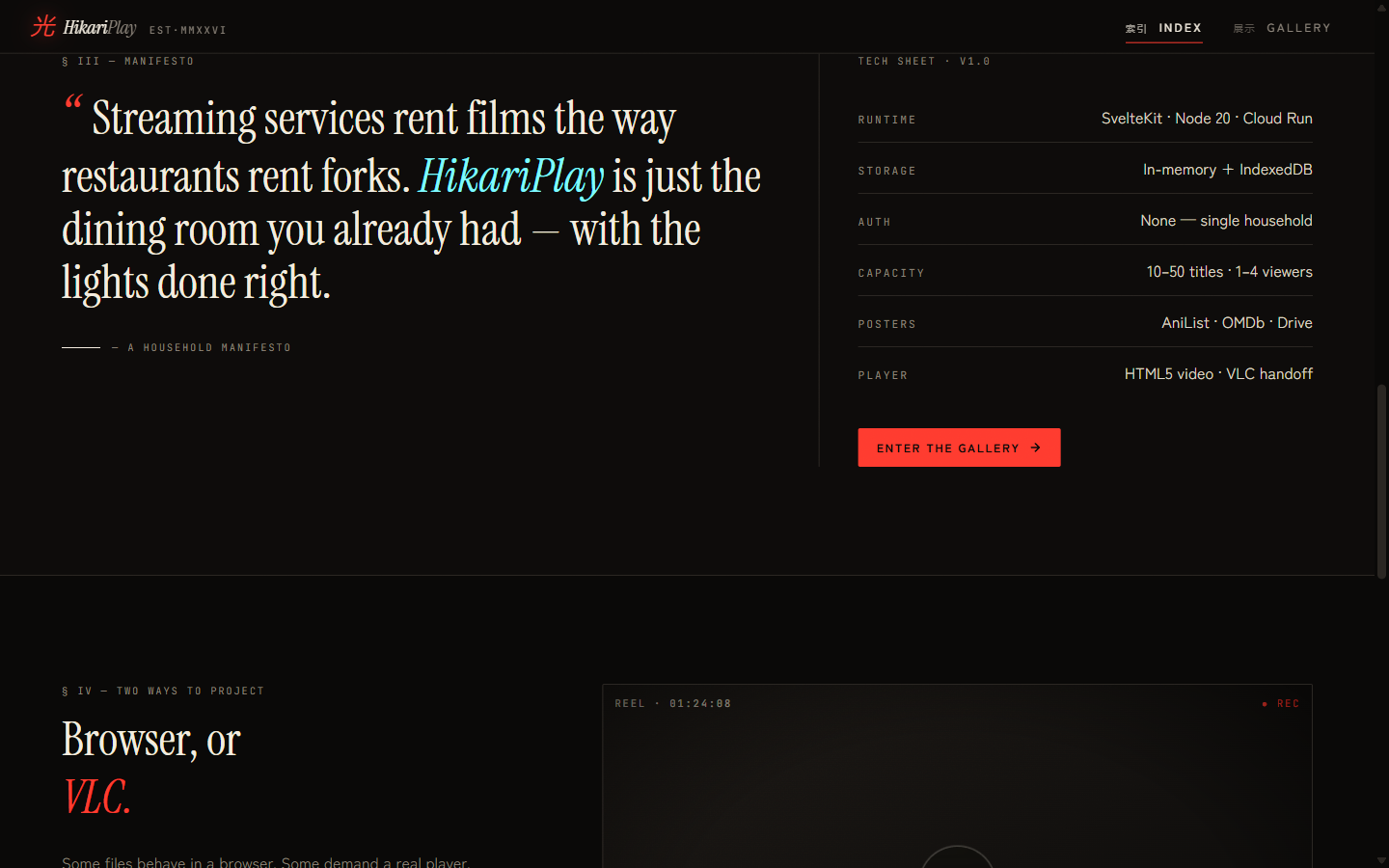
The marquee ticker is a CSS-animated strip (no JavaScript) of cinema-adjacent words: HIKARI, TOKYO REEL, MIDNIGHT SCREENING, SAISEI, ARCHIVE, 24 FPS, DRIVE STREAM, NO LOGIN — duplicated for seamless looping.
PWA
HikariPlay ships as an installable PWA via @vite-pwa/sveltekit. Service worker caches static assets for offline shell loading. Poster blobs cached in IndexedDB persist across sessions independently of the service worker cache.
Testing
Vitest unit tests cover the three pure modules:
parse.test.ts— filename parser: scene tag stripping, SxxExx extraction, year detection, type classificationcontinueWatching.test.ts—saveProgress/getEntry/clearEntry,isResumableboundary conditionsidb.test.ts— IndexedDB helpers usingfake-indexeddb+jsdom
Full-monorepo type checking runs via turbo check-types. Linting and formatting use oxlint and oxfmt.
Design
Visual identity: near-black backgrounds, #E8432D warm red as the sole accent (logo mark, buttons, manifesto quotation mark), editorial serif/sans-serif split. Japanese kanji labels appear throughout — navigation, catalogue numbers, status indicators — without requiring the audience to read them.
The tech sheet on the landing page contains the most honest authentication specification ever written: AUTH — "None — single household."