Essay
←Back to blogI Left React for Python. The Intervention Was Unnecessary.
I had a perfectly working React dashboard. I rewrote it in Reflex because 'full-stack Python' sounded clean on paper. It was not clean on paper. It was not clean anywhere.
I Left React for Python. The Intervention Was Unnecessary.
Or: How I Spent a Week Learning That Python Was Already Good At Everything Except This

So there I was with a perfectly functional React + Vite dashboard. Clean TypeScript. 260 lines. Fast builds. It worked. Users were happy. Life was good.
Then I had the worst kind of idea: "Let's rewrite it in Python."
I was the one who said it. I have no one else to blame. I went in voluntarily. The retrospective was not kind.
"It'll Be Easy," The Docs Lied
"Reflex is just Python." That's what the GitHub readme said. "You won't even need to touch JavaScript," tech Twitter added, with the confidence of someone who has never actually shipped this.
Narrator: It was not just Python. The JavaScript simply hid in the shadows and waited.
What I Expected
# Beautiful, Pythonic code that definitely just works
def dashboard():
    return render_my_beautiful_ui()
# Beautiful, Pythonic code that definitely just works
def dashboard():
return render_my_beautiful_ui()What I Got
# This is React with extra steps, worse autocomplete, and a confused IDE
def business_row(business: dict) -> rx.Component:
    return rx.table.row(
        rx.table.cell(
            rx.hstack(
                rx.box(
                    rx.icon("building-2", size=18, style={"color": COLORS["mauve"]}),
                    style={"background": COLORS["surface0"]},
                    class_name="w-10 h-10 rounded-full flex items-center justify-center",
                ),
                # ... 50 more lines of this
# This is React with extra steps, worse autocomplete, and a confused IDE
def business_row(business: dict) -> rx.Component:
return rx.table.row(
rx.table.cell(
rx.hstack(
rx.box(
rx.icon("building-2", size=18, style={"color": COLORS["mauve"]}),
style={"background": COLORS["surface0"]},
class_name="w-10 h-10 rounded-full flex items-center justify-center",
),
# ... 50 more lines of thisclass_name. style. rx.hstack. Bro. This is JSX wearing a Python trench coat. I rewrote React. In Python. The React is still there. It's just hiding.

The "Python Experience" I Was Promised vs. What I Received
String Concatenation? That's a Legacy Feature Now.
Remember simple string concatenation? Gone.
Before (React):
<img src={`https://s3.amazonaws.com/${image}`} /><img src={`https://s3.amazonaws.com/${image}`} />After (Reflex):
rx.image(
    src="https://s3.amazonaws.com/" + log["personImage"].to(str),
    # Because log["personImage"] isn't a string.
    # It's a Var. A special Reflex type.
    # That you need to explicitly cast to a string.
    # In Python.
    # The language literally famous for duck typing.
    # We are doing explicit string casting in duck typing Python. Let that sink in.
)
rx.image(
src="https://s3.amazonaws.com/" + log["personImage"].to(str),
# Because log["personImage"] isn't a string.
# It's a Var. A special Reflex type.
# That you need to explicitly cast to a string.
# In Python.
# The language literally famous for duck typing.
# We are doing explicit string casting in duck typing Python. Let that sink in.
)Empty Strings: Straight to Jail.
My favorite error message of the entire ordeal:
Error: A <Select.Item /> must have a value prop that is not an empty string.Error: A <Select.Item /> must have a value prop that is not an empty string.The underlying React component — which I am not supposed to be thinking about because this is Python now — was offended by an empty string. So I had to create a __all__ sentinel value and convert it back to an empty string in the state handler. In Python. Where "" is a perfectly valid falsy value that the entire language ecosystem accepts without complaint.
Beautiful architecture. Truly.
Styling: Tailwind Strings in a Python File That Compiles to React
"Use Tailwind," they said. So I did.
class_name="rounded-xl border p-5 hover:border-[#45475a] transition-colors duration-200"class_name="rounded-xl border p-5 hover:border-[#45475a] transition-colors duration-200"This is HTML. With extra steps. I am writing Tailwind class strings in Python, which Reflex compiles to React, which renders to HTML. Three layers of indirection to write what a .tsx file would give me directly — with syntax highlighting, autocomplete, and type checking via the Tailwind VS Code extension.
Instead, my IDE thinks I'm writing a very long, very sad novel.
The Build Process Comparison Nobody Asked For

React + Vite:
npm run dev— 200ms. I sneeze and it's running.- Hot reload — instant.
- Build — 2 seconds.
Reflex:
reflex run— wait for Python to initialize.- Wait for Reflex to compile the AST.
- Wait for the frontend to build. (It spins up Node anyway. We're running Node. In the Python framework. Outstanding.)
- Wait for the backend to start.
- Changed a component's padding? Full recompile. See you in 30 seconds.
- Port 8000 in use? Cool, we'll use 8001. Now your API calls all fail silently.
- Please enjoy these Pydantic v1 deprecation warnings as a complimentary side dish.
The Definitive List of Benefits of Reflex Over React
Here it is. Complete and unabridged.
- You write "Python" instead of JavaScript.
- ...
- That's it. That's the full value proposition.
Except you're not actually writing Python. You're writing React component trees using Python syntax. You still think in components. You still manage state like hooks. You still write Tailwind strings. The only real change is the language — and that language is demonstrably worse at this specific task because it wasn't designed for the DOM.
The actual differences you get:
- Worse error messages (stack traces that cross a language barrier are a special kind of chaos)
- Slower build times (you run Python AND Node)
- A massive abstraction layer you cannot debug when it breaks
- Documentation described as "rapidly evolving," which is documentation-speak for "incomplete"
The Final Tally

Before (React): 260 lines of TypeScript. Fast dev loop. Immediate feedback.
After (Reflex): 456 lines of Python. Var types pretending to be Python while outputting JS strings. Slower everything.
Both versions: Still compile to React. Still need Node. Still run JavaScript in the browser.
We added Python as a middleman to a pipeline that begins and ends with JavaScript. Python, the language, is acting as a transpiler for React. We played ourselves at championship level.
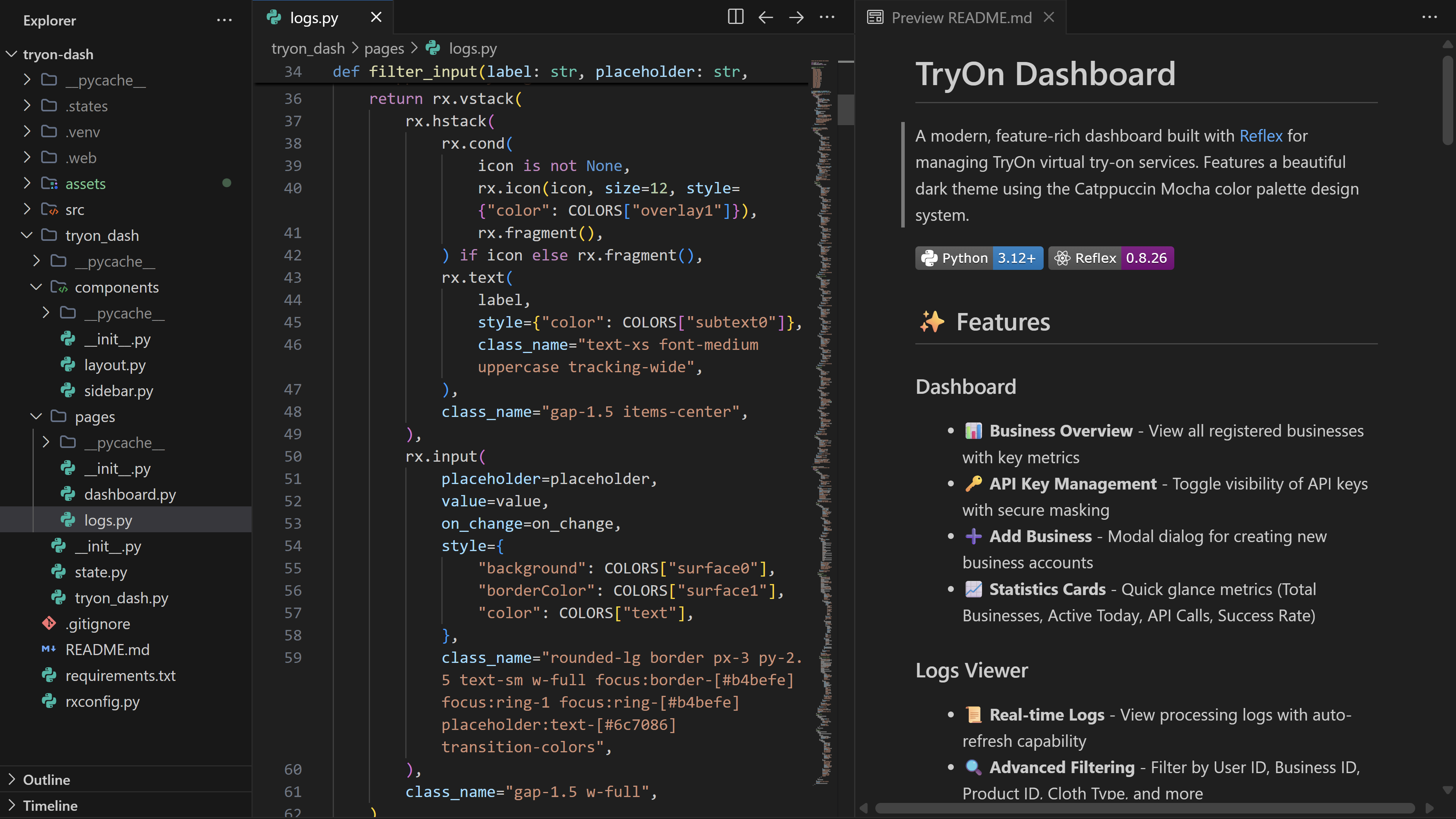
Why Does This Framework Exist?
Honest question. The pitch is "write web apps in Python." The reality is "write React in Python syntax while fighting type systems that make no sense and watching builds measured in geological time."
If you want Python: use FastAPI. Use Django. Use HTMX if you need interactivity without touching JS. These are proven tools designed for the exact tasks they perform.
If you want a modern SPA: write React. Or Svelte. Or Vue. Anything where the tooling was built for the DOM.
Don't use a framework trying to be both that ends up failing at both.
Hot Take Conclusion
Would I recommend Reflex? Only if you:
- Actively enjoy debugging type systems that shouldn't exist.
- Need a legitimate reason to get up and make coffee while your frontend "compiles."
- Believe "it's Python so it must be simpler" is a valid architectural decision and not just a coping mechanism.
For everyone else: learn React. One weekend. You'll be infinitely more productive, your tooling will work, and you won't find yourself casting duck-typed variables to strings before a string concatenation.
If you enjoy staring at code that shouldn't exist, here's the project I migrated:
Written while waiting for Reflex to recompile for the 47th time today.