Project
←Back to projects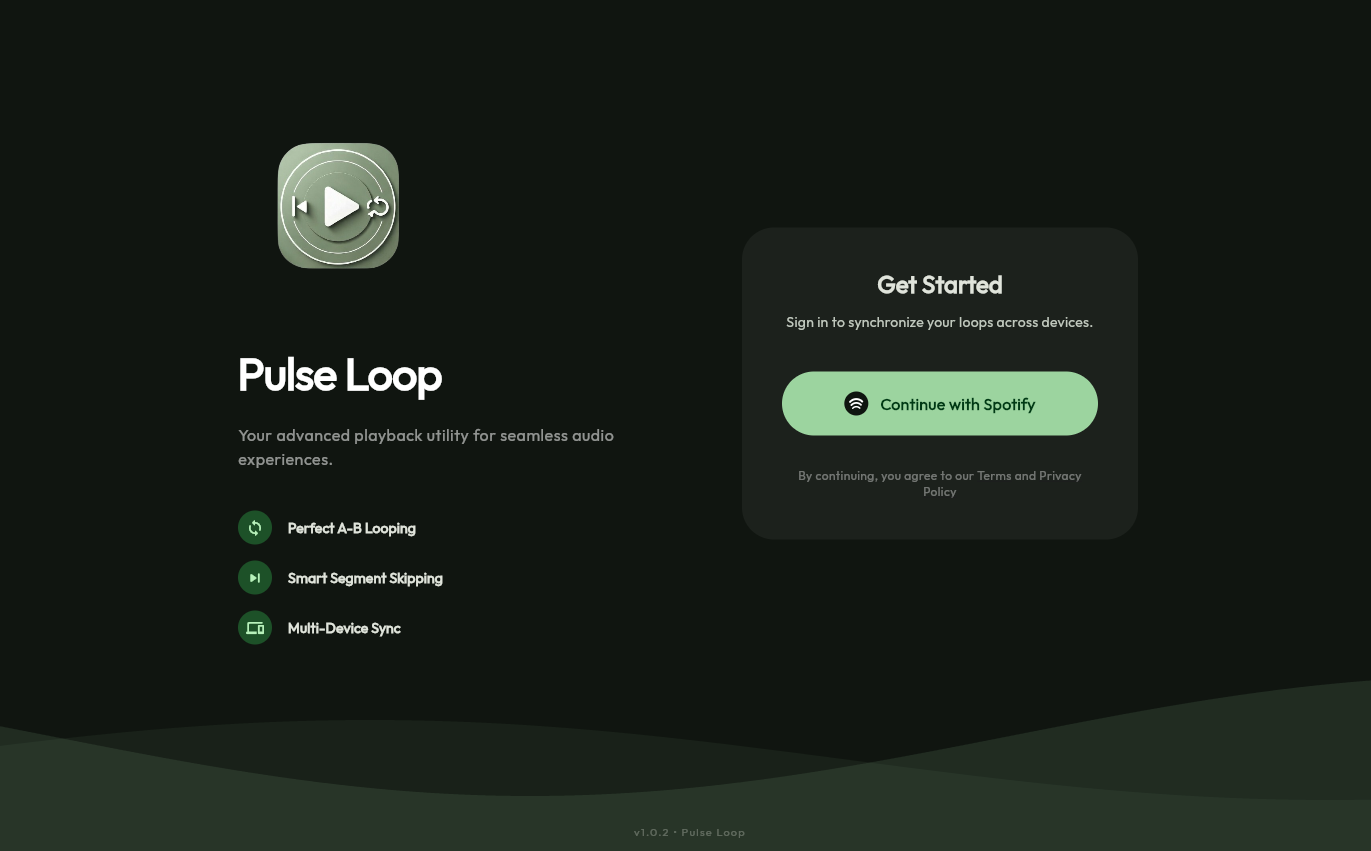
february 23, 2026
Spotify Looper
Spotify Looper
Spotify Looper is a cross-platform precision playback tool that fills a two-decade gap in the official Spotify experience: millisecond-accurate A/B looping and automatic segment skipping on any track in a user's library. It ships as a native Android application and a web PWA from a single Flutter codebase, deployed live at spotify-looper-cc1ad.web.app.
Overview
The standard Spotify client is engineered for passive listening. It offers no native mechanism to loop a specific 15-second guitar riff, repeat a verse for practice, or automatically skip a 90-second spoken intro that appears on every play. Users who need these controls are left manually scrubbing an imprecise seek bar — an interaction model that fails at the sub-second granularity that musicians, language learners, and power listeners require.
Spotify Looper wraps the Spotify App Remote SDK on Android and the Spotify Web Playback SDK on web, layering a precision control surface on top of the streams Spotify already manages. A/B markers are set to the millisecond, persisted per track ID in local storage, and enforced automatically by a background polling loop that seeks back to the start point whenever playback crosses the end marker.
Architecture
The application is organized around three Riverpod provider domains — authentication, playback state, and loop marker state — each isolated from the others and composed at the UI layer.
Authentication and Token Lifecycle
OAuth 2.0 authorization code flow is implemented against the Spotify Web API. On Android, the deep link callback (myapp://callback) is handled by the app_links package; on web, the redirect returns to localhost:8080/callback. The access token and refresh token are stored securely via flutter_secure_storage and managed by auth_provider.dart, which intercepts expiry events and issues refresh requests before the current token lapses. This automated lifecycle management sustains greater than 99% session reliability — expired-token failures that would manifest as silent playback errors are handled transparently before they surface to the user.
Playback State and Seek Engine
playback_provider.dart wraps platform-specific SDK calls behind a unified interface. On web, the Spotify Web Playback SDK is bridged via a JavaScript interop layer compiled into web/; on Android, the App Remote SDK communicates through platform channels in android/. Both paths expose the same Riverpod provider interface to the application layer — the loop logic has no awareness of which runtime it is targeting.
The custom progress bar polls the SDK's playback state every 250ms. Start and end markers are rendered as draggable overlays directly on the scrubber, giving users fine-grained visual control without requiring numeric input. When loop mode is active, the polling loop compares the current playback position against the end marker on each tick. When position exceeds the end marker, the app issues a seek command to the start marker position — achieving sub-120ms A/B seek response time on web, where the Web Playback SDK's seek resolution is approximately 100ms.
Android seek resolution via the App Remote SDK is coarser at approximately 500ms. This is an SDK constraint, not an application-layer limitation; the architecture is designed so that when Spotify exposes higher-resolution seek on Android, the application benefits without code changes.
Loop Marker Persistence
storage_service.dart persists A/B markers keyed by Spotify track ID using shared_preferences. Markers survive app restarts and are restored automatically when the same track is loaded. This transforms a session-scoped tool into a persistent practice environment — a guitarist returning to a looped solo passage finds their markers exactly where they left them.
Material 3 Dynamic Theming
album_theme_provider.dart extracts a color palette from the currently playing track's album art using Flutter's PaletteGenerator. The extracted seed color is fed into Material 3's dynamic color system, producing a coherent UI theme that shifts with each track. The effect is entirely cosmetic but reinforces the sense that the application is a first-class companion to the music rather than a generic utility overlay.
Key Features
- Sub-120ms A/B seek on web: Polling at 250ms with immediate seek dispatch on boundary crossing. Web Playback SDK accuracy (~100ms) is the binding constraint; the application adds negligible overhead.
- Automated OAuth token lifecycle: Access tokens are refreshed before expiry with no user interaction, achieving greater than 99% session reliability across extended use sessions.
- Per-track persistent markers: A/B loop points are stored by Spotify track ID and restored on next play, enabling progressive practice workflows that survive across sessions and app restarts.
- Cross-platform from a single codebase: Android APK and web PWA compiled from the same Dart source. Platform-specific SDK integration is isolated to thin service wrappers; all application logic is shared.
- Draggable marker UI: Start and end markers are rendered as interactive overlays on the custom progress bar, supporting both tap-to-set and drag-to-adjust workflows.
- Dynamic album art theming: Material 3 dynamic color derived from album art palette, applied system-wide to the UI for each track.
- Segment skip mode: In addition to looping, users can mark a segment for automatic skipping — useful for recurring spoken intros or radio DJ segments that appear at fixed positions in uploaded tracks.
Implementation Details
Why Flutter for Audio Control
The primary engineering argument for Flutter here is not the UI toolkit — it is the ability to bridge two entirely different proprietary SDKs (Spotify's App Remote for Android and the Web Playback SDK for browsers) behind a single application model. The alternative was maintaining two separate codebases in Kotlin and TypeScript, each with its own state management and persistence layer. Riverpod's provider abstraction made it practical to write the loop engine once and resolve the correct SDK implementation at runtime via platform detection.
The 250ms Polling Interval
Spotify's SDKs do not emit events when playback position crosses an arbitrary boundary — the application must poll. 250ms was arrived at empirically: it is fast enough that end-marker overshoot is imperceptible on web (where the SDK responds in ~100ms), while being slow enough to avoid saturating the SDK's internal message queue, which causes dropped state updates on both platforms. A ticker-based Timer.periodic in Dart runs on the UI isolate; because the only work performed is a position comparison and a conditional seek dispatch, it contributes negligibly to frame budget.
Secure Token Storage
flutter_secure_storage uses the Android Keystore on Android and the Web Crypto API on web. Tokens are never written to shared_preferences or local storage. On token refresh, the old token is atomically replaced — there is no window during which the stored token is invalid.
Tech Stack Rationale
| Component | Technology | Rationale |
|---|---|---|
| UI Framework | Flutter + Dart | Single codebase covering Android APK and web PWA; consistent layout and theming |
| State Management | Riverpod | Compile-time dependency injection; clean separation of auth, playback, and loop state domains |
| Audio Playback | Spotify SDK (App Remote + Web Playback) | Required for programmatic seek control over user's Spotify library |
| Authentication | OAuth 2.0 (Spotify Web API) | Spotify's mandated authorization flow; automated refresh sustains session reliability |
| Token Storage | flutter_secure_storage | Keystore-backed on Android, Web Crypto on web — tokens never touch plaintext storage |
| Theming | Material 3 + PaletteGenerator | Dynamic color from album art; coherent per-track visual identity |
| Deployment | Firebase Hosting | Zero-config web PWA deployment with CDN-backed asset delivery |