Essay
←Back to blogI Asked Google Gemini to Dress People. The Results Were Educational.
Online fashion loses $400B a year to returns. I fixed it with PHP, a WooCommerce plugin, and a carefully worded prompt. No research team required.
I Asked Google Gemini to Dress People. The Results Were Educational.
The fashion industry loses $400 billion a year to returns. Me: I'll fix it. With PHP. Everyone: ... Me: And a modal.
Look, I could have built a custom vision transformer. Trained it on proprietary fashion datasets. Deployed it on a GPU cluster. Applied for Series A funding and put "AI/ML Engineer" in my LinkedIn bio.
Instead I wrote a WordPress plugin.
The fitting room still works. The VC funding was unnecessary.
The Problem Is Embarrassingly Real
You can't try clothes on through a screen. So you buy three sizes, keep one, return two. The warehouse restocks it. The planet suffers. Customer service handles the complaints. Everyone loses except the shipping company.
This problem has an obvious solution that somehow costs $99/month if you want the branded SaaS version of it.
So I built the unbranded version. It's called tryon-modal. It's open source. It takes longer to read this post than to get it running.
"It's Just a WordPress Plugin" — Yes. And?
WooCommerce runs on 30% of all e-commerce sites. If you're targeting fashion stores, you're targeting WordPress. That's not a compromise — that's a distribution strategy.
Also, PHP 8 has named arguments, enums, fibers, union types, and a JIT compiler. If you're still dunking on PHP in 2025, that tweet isn't landing the way you think it is.
The AI Part (Which Is Embarrassingly Simple)
Everyone imagines "AI virtual try-on" means a six-month research sprint and a team of computer vision PhDs.
What it actually means in 2025: Google Gemini's multimodal API already understands images, garments, and human figures. So instead of training anything, you send it three things:
- The user's photo
- The garment image
- A prompt that is genuinely just English sentences
And it gives you back a try-on composite. The "AI research" was writing a good prompt and a clean PHP API handler.
// This is the entire AI integration. Don't overthink it.
$response = $this->gemini->generateContent([
  'parts' => [
    ['text' => $this->buildTryOnPrompt($garmentCategory)],
    ['inline_data' => ['mime_type' => 'image/jpeg', 'data' => $userPhotoBase64]],
    ['inline_data' => ['mime_type' => 'image/jpeg', 'data' => $garmentImageBase64]],
  ]
]);
That's it. That's the model call. The rest is plumbing.
The Garment Mapper: My Favorite Feature Nobody Will Tweet About
Here's the thing about Gemini: the prompt needs context. "Is this a top or a dress?" changes the output quality significantly. Wildly, visibly significantly.
So I built a Garment Mapper — an admin UI where store owners bulk-tag their product images as Tops, Bottoms, Dresses, Outerwear, etc. The tagging feeds into buildTryOnPrompt(). The prompt changes. The results get noticeably better.
It's the most impactful feature in the plugin and the least glamorous one to explain. That is the software development experience in a single sentence.
Security: The Part Nobody Claps For
A plugin that accepts user-uploaded photos and routes them to an external API has real attack surfaces. So we do the boring-but-correct stuff:
- Nonces on every AJAX action (CSRF protection, WordPress-style)
esc_html()andsanitize_*everywhere user data touches the DOM$wpdb->prepare()on every database query — no raw SQL, ever- MIME type validation on uploaded photos before they go anywhere near Gemini
- HTTPS enforcement on all API calls
Nobody writes blog posts about not having CVEs. The alternative is worse.
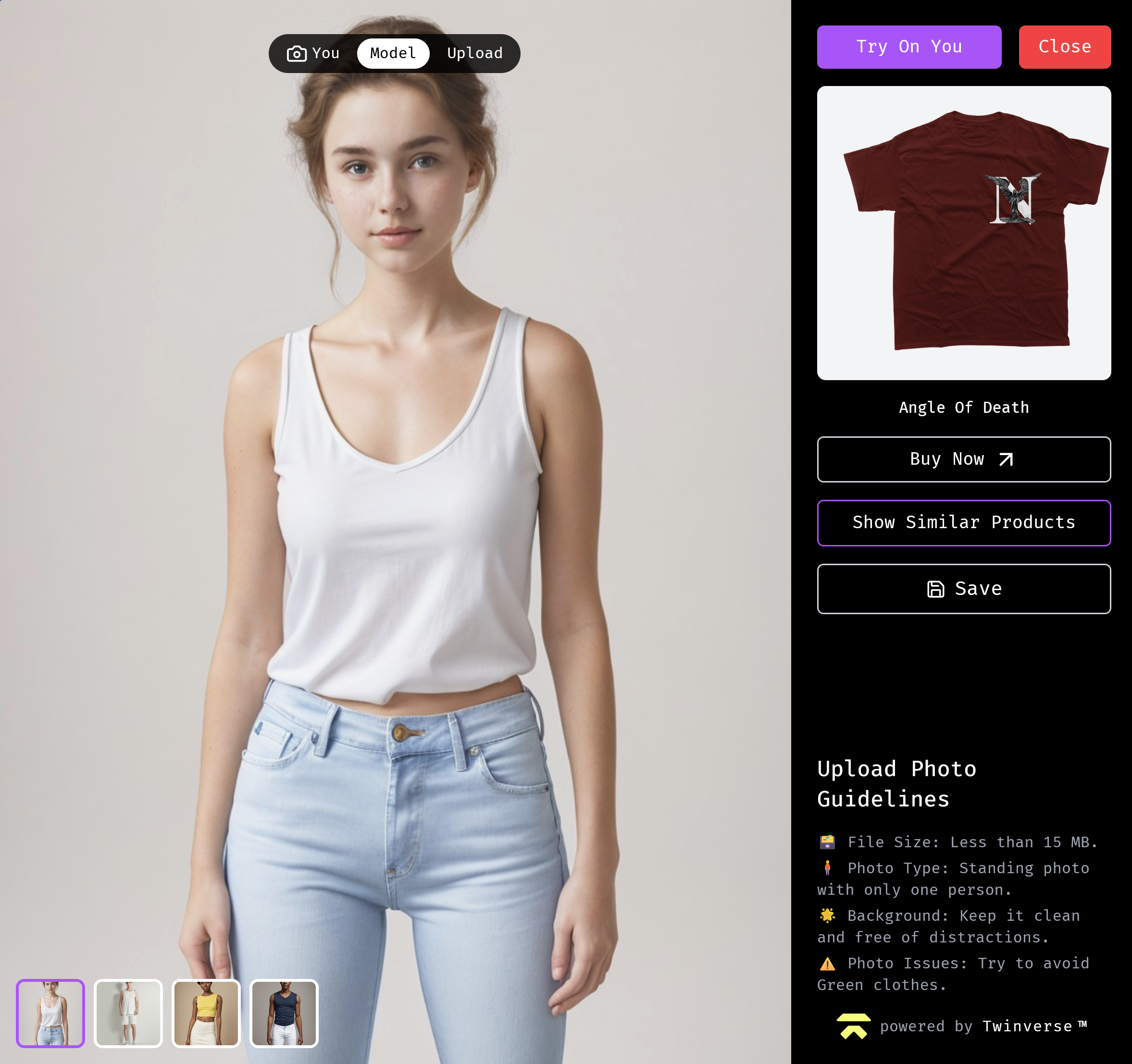
The Modal: Invisible Until Needed
The worst thing a plugin can do is slow down a product page. So the modal loads nothing — zero CSS, zero JS overhead — until the user clicks Virtual Try-On. Then it bootstraps the whole UI on demand.
Once open, it supports:
- Drag-and-drop photo upload with live preview
- A results pane that fades in when Gemini responds
- A download button for the try-on image
- An Add to Cart button inside the modal — no page navigation required
The whole thing is namespaced under nano-tryon-* CSS classes so theme overrides work without touching plugin files. Because !important-ing your plugin styles into the host theme is a war crime.
Session History: Two SQL Queries, Actually Useful
Try-on sessions get stored in wp_tryon_sessions — image paths, garment used, timestamp, user ID. Users can revisit what looked good before buying.
Could I have skipped it? Yes. Did I? No. Users who come back and check what they tried on last week convert better than users who don't. It cost two SQL queries and a loop. The ROI math is straightforward.
Does It Work?
Yes. Upload a photo, pick a product, wait a few seconds, see yourself wearing it — without leaving the product page, without an account on a third-party app, without a $99/month subscription.
A WooCommerce store. A Gemini API key. A five-minute install.
Sometimes the unsexy tool for the unsexy platform solves the real problem better than the venture-backed alternative. Sometimes the fitting room is a PHP modal.
The code is open source on GitHub. Your Gemini API key is free up to a quota that will absolutely cover your first thousand try-ons.